
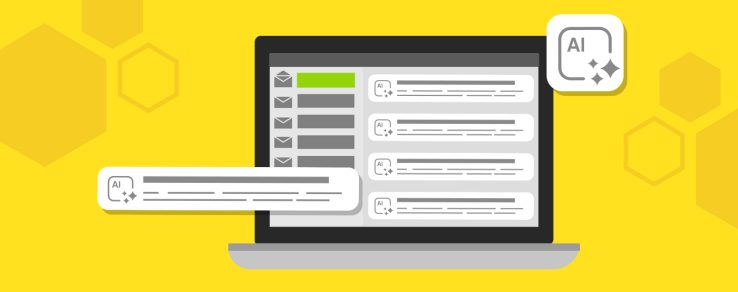
What if utility customers could understand the purpose of your email without ever reading the full message?
This scenario is becoming increasingly common as artificial intelligence (AI) transforms the inbox experience. Major email providers, including Gmail, Apple Mail and Microsoft Outlook, now use AI to prioritize messages, generate summaries and help users quickly identify what matters most.
This shift is making AI email optimization for utilities increasingly important for message visibility and customer understanding.
How AI is Reshaping Inboxes
Gmail, Apple Mail and Microsoft Outlook each approach AI differently. Understanding how these platforms work can help utility communicators adapt to the evolving inbox experience.
Gmail: AI summaries help customers quickly understand email content, but only after opening the message. This means subject lines and preview text remain critical for attracting attention and encouraging opens.
Apple Mail: AI-generated summaries can appear before customers open an email, giving Apple Intelligence greater influence over the first impression customers receive.
Microsoft Outlook: Copilot helps users navigate longer emails and conversations by summarizing content and identifying key actions.
What this means for utility communicators: Customers may consume email differently depending on their inbox provider, but clear messaging, strong organization and relevant content remain essential across every platform.
As AI in utility emails become more widespread, utility communicators must rethink how they structure email messages.
Here are five best practices for optimizing emails for AI-powered inboxes.
1. Send Fewer, More Relevant Emails
Emerging AI-powered inbox experiences are moving beyond simple inbox tabs and folders, using personalization and predicted relevance to help determine which messages receive visibility.
In a recent Validity webinar, State of Email Tactics, marketing leaders shared how messages that consistently align with customer interests and needs are more likely to be viewed as valuable.
Inbox providers are using AI to help users prioritize messages that are most relevant to them. For example, Gmail prompts users to unsubscribe from senders whose emails they rarely engage with, making it easier to reduce inbox clutter. Gmail has also introduced features that prioritize and reorder messages based on predicted relevance and importance.
These developments reinforce a new reality for utility communicators: Messages that consistently provide value are more likely to remain visible, while less engaging emails could receive less attention over time.
Relevant and timely communications include:
- Outage updates sent only to affected customers
- High-bill alerts or energy usage insights based on a customer’s data
- Seasonal energy efficiency tips tailored to homeowners or renters
- Electric vehicle rebate promotions targeted to EV owners
- Financial assistance program reminders to eligible customers
- Water conservation tips during peak summer usage
- Welcome communications to new and moving customers
Utilities that continue relying on one-size-fits-all communications could struggle to stand out in increasingly personalized inbox environments. That’s why AI email optimization for utilities is more important than ever.
2. Think Like a Journalist
AI tools are designed to quickly identify and surface the most important information within an email. That’s why utility communicators should think like journalists in a newsroom. The message should begin with the most valuable information, following by supporting details.
Prioritize these elements near the top of a utility email:
- The primary purpose of the communication
- Key dates, deadlines or restoration timelines
- Customer actions that need to be taken
- Important program benefits for customers
- Links to additional resources or next steps
For example, a promotional utility email should quickly explain the program, benefits and what actions a customer needs to take. Likewise, communications about Time-of-Use rate plans should immediately explain what’s changing, how customers will be affected and what steps they need to take to manage their energy usage.
By presenting the most important information upfront, utilities can help both customers and AI quickly understand the purpose of the message.
3. Avoid Technical Jargon
Utility communications often contain complex information, regulatory language and industry-specific acronyms. While these terms may be familiar to utility professionals, they can create barriers to understanding for both customers and AI in utility emails.
How utility communicators can improve readability:
- Use simple, customer-friendly language
- Keep sentences concise and focused
- Explain technical terms and acronyms when necessary
- Focus on customer benefits and impacts
- Replace industry jargon with plain-language alternatives (when possible)
For example, an email about a demand response event should focus on what it means for customers and the actions they need to take. Similarly, communications about financial assistance programs or energy efficiency rebates should highlight key benefits, important deadlines and next steps rather than lengthy and complicated program descriptions.
When drafting emails, utility communicators should focus on clarity and simplicity. AI tools perform best when content is straightforward and easy to understand.
4. Make Your Emails Easy to Scan
Just as customers often scan emails instead of reading every word, AI uses headings, formatting and content hierarchy to quickly identify the most important information. As a result, email structure matters more than ever for AI in utility emails.
A poorly organized email can make it difficult for both customers and AI tools to quickly understand the purpose of the message. Long blocks of text, inconsistent formatting and multiple competing messages can obscure key information and reduce the effectiveness of AI-generated summaries.
It’s also important to avoid building emails entirely out of images. While image-heavy designs look polished, AI tools need readable HTML text to understand the message. If the most important copy is embedded only within a graphic, AI may not be able to interpret the copy.
Images can still enhance an email’s design, but essential details — such as program benefits, eligibility requirements and calls to action — should appear as readable text.
To make emails more scannable, consider using:
- Descriptive headings that clearly identify each section
- Short paragraphs focused on a single topic
- Bullet points to highlight key information
- Clear, action-oriented calls to action
- Consistent formatting throughout the message
- White space to improve readability and reduce visual clutter
For example, an outage communication might include separate sections for outage details, restoration timelines and customer resources. A program promotion could use headings to highlight benefits, eligibility requirements and step-by-step enrollment instructions.
Well-structured content helps improve readability for customers and AI email optimization for utilities.
5. Don’t Overlook the Subject Line & Preview Text
Subject lines play a powerful role in helping AI understand, categorize and prioritize email content. They provide immediate context about the purpose of an email and help determine whether a customer opens the message, ignores it or takes action.
A vague subject line such as “Important Information” or “Utility News” provides little context about the message itself. As a result, customers may overlook the email, and AI may have less information available when generating summaries.
Instead, utility communicators should use subject lines that clearly communicate the purpose of the message and set expectations for what customers will find inside. The best subject lines are specific, concise and customer focused.
Additionally, preview text deserves just as much attention as the subject line. Often displayed alongside the subject line, preview text can provide additional context and help AI in utility emails better understand the value of the message.
Effective subject lines + preview text examples:
Planned Water Service Interruption on Tuesday
Learn when service will be affected and how to prepare.
Enroll in Budget Billing Before Summer
Spread seasonal energy costs into predictable monthly payments.
New Time-of-Rate Plan Starts July 1
Understand off-peak pricing and opportunities for energy savings.
Outage Update: Estimated Restoration by 8:00 PM
View outage details, restoration progress and available resources.
New Rebate Available for EV Owners
See if you qualify and learn how to apply today.
Explore Summer Water Conservation Tips
Small changes can help reduce water use and lower costs.
Together, subject lines and preview text create the first impression that AI uses to evaluate an email.
The Inbox is Changing – Great Communication Isn’t
As inbox experiences continue to evolve, AI email optimization for utilities will be essential. Utilities that communicate clearly, prioritize critical information and structure messages for easy understanding will be better positioned to maintain visibility in email inboxes.
The future of email isn’t just about reaching the inbox — it’s about ensuring customers understand the message, even when AI helps deliver it.
Prepare for What’s Next
AI inboxes are just one example of how customer communications are evolving.
Questline Digital is here to help your team navigate emerging AI technologies, optimize utility emails and drive stronger engagement.